Basic
Up to 2 adults + 2 kids
$4.99/month
or $49.99/year
MONEY PRACTICE FOR KIDS
A place to try a money decision
before making it.
Parents keep the real money.
Kids get the practice.
Coming soon for iPhone and iPad
Explore Peegu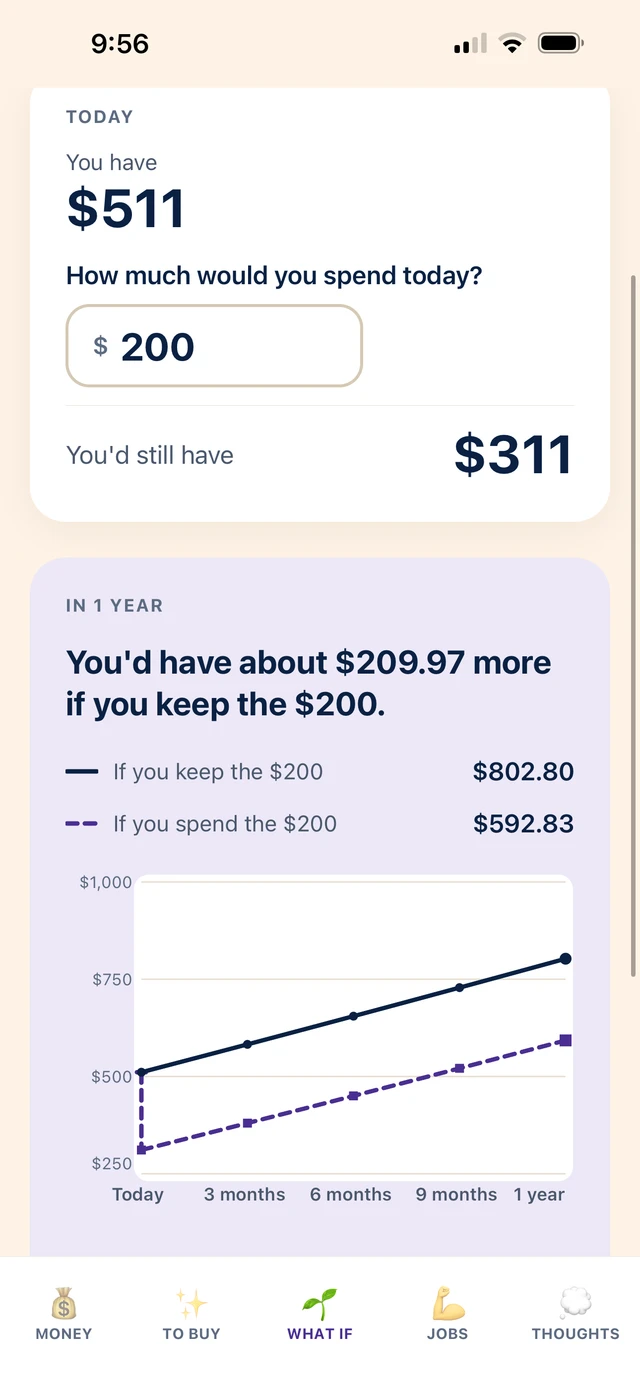
A little practice. Then repeat.
01 · MONEY
Birthday money. Allowance. Earnings. Spending.
One place where it all becomes visible.
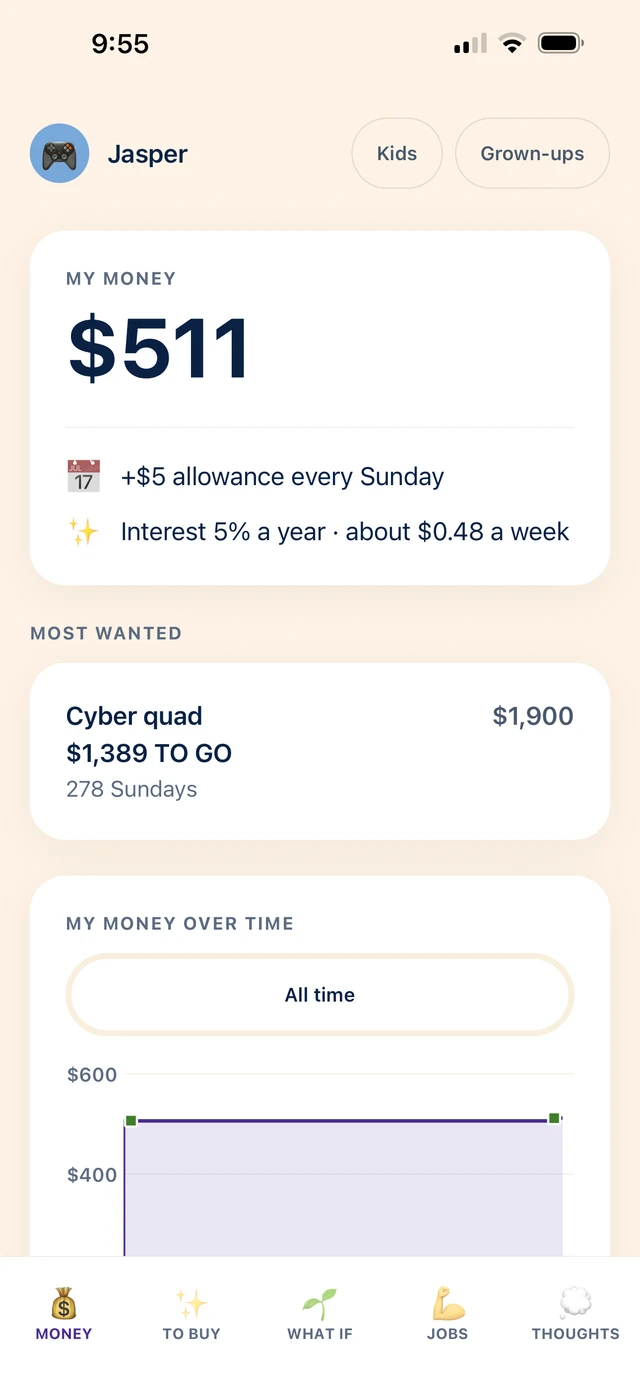
Meet Jasper. He has $511.
He gets $5 every Sunday.
His family pays 5% interest a year, about 48 cents a week.
The Cyber quad he wants costs $1,900.
He still needs $1,389.
Now he can see what’s possible.
02 · TO BUY
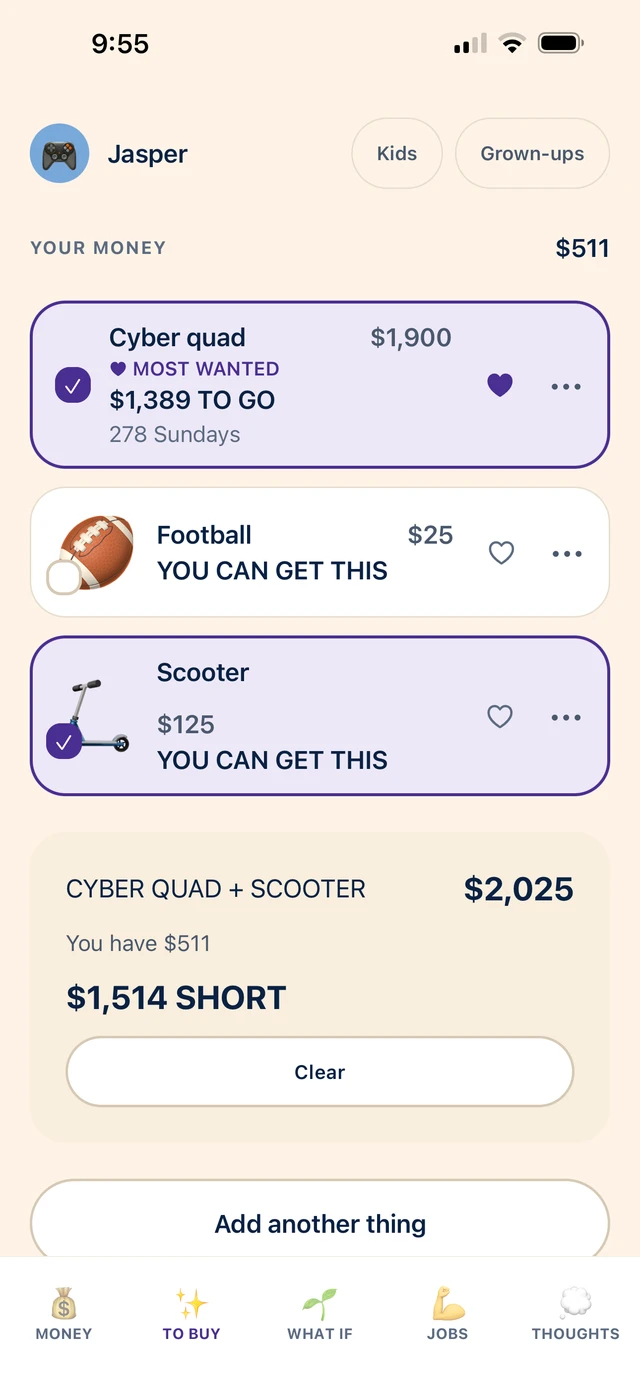
Jasper also wants a football. And a scooter.
His $511 can’t buy all three.
Football + scooter: $150.
He can get both, with $361 left.
Cyber quad + scooter: $2,025.
He’s $1,514 short.
Welcome to economics.
03 · WHAT IF
What if Jasper spends $200?
Peegu shows him both futures, using his family’s allowance and interest. What changes now. What changes later.
Trying a choice doesn’t spend anything.
Then he decides.
The lesson isn’t “don’t spend.”
It’s “know what spending does.”
04 · JOBS
Kids propose the work. They name their price.
You can accept, suggest another amount, or decline.
When the job is finished, you record the payment.
They aren’t just completing chores.
They’re making offers.
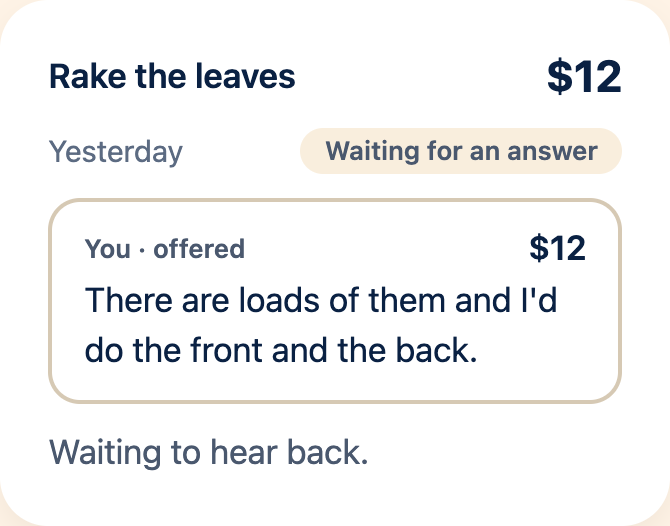
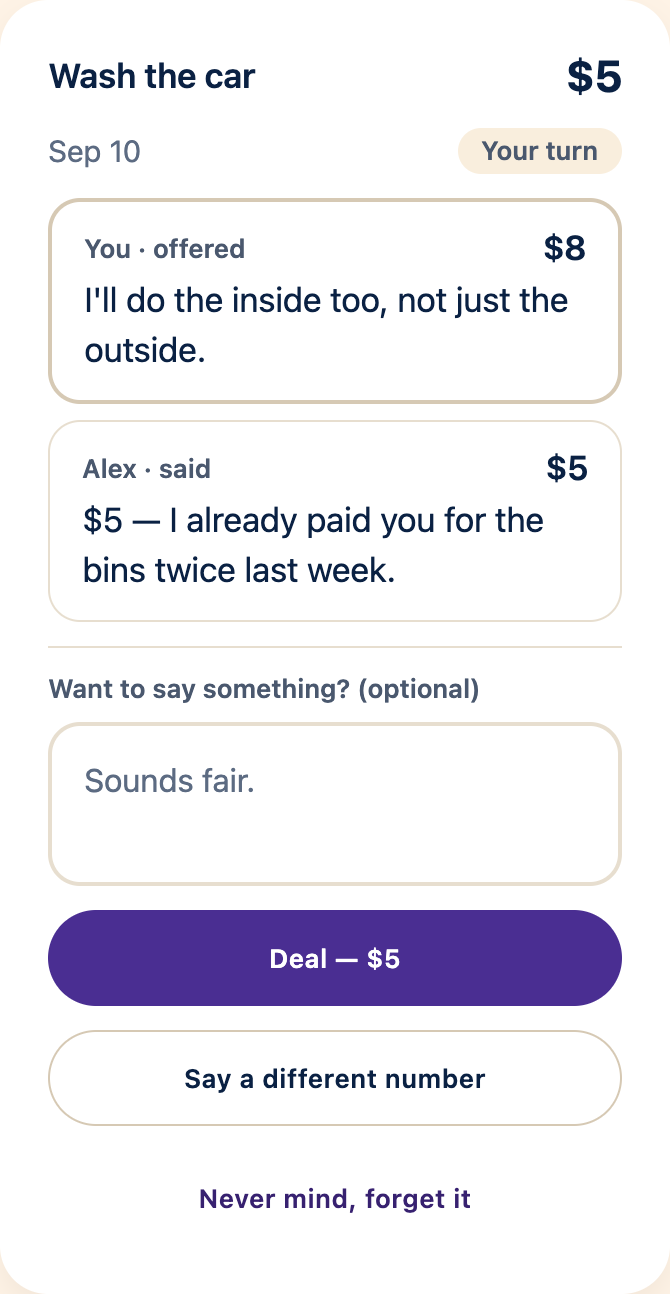
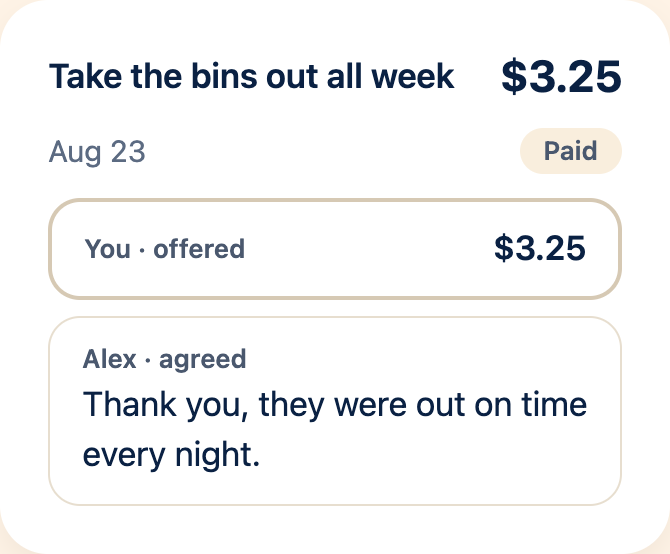
Your child may discover labor negotiations earlier than expected.
05 · THOUGHTS
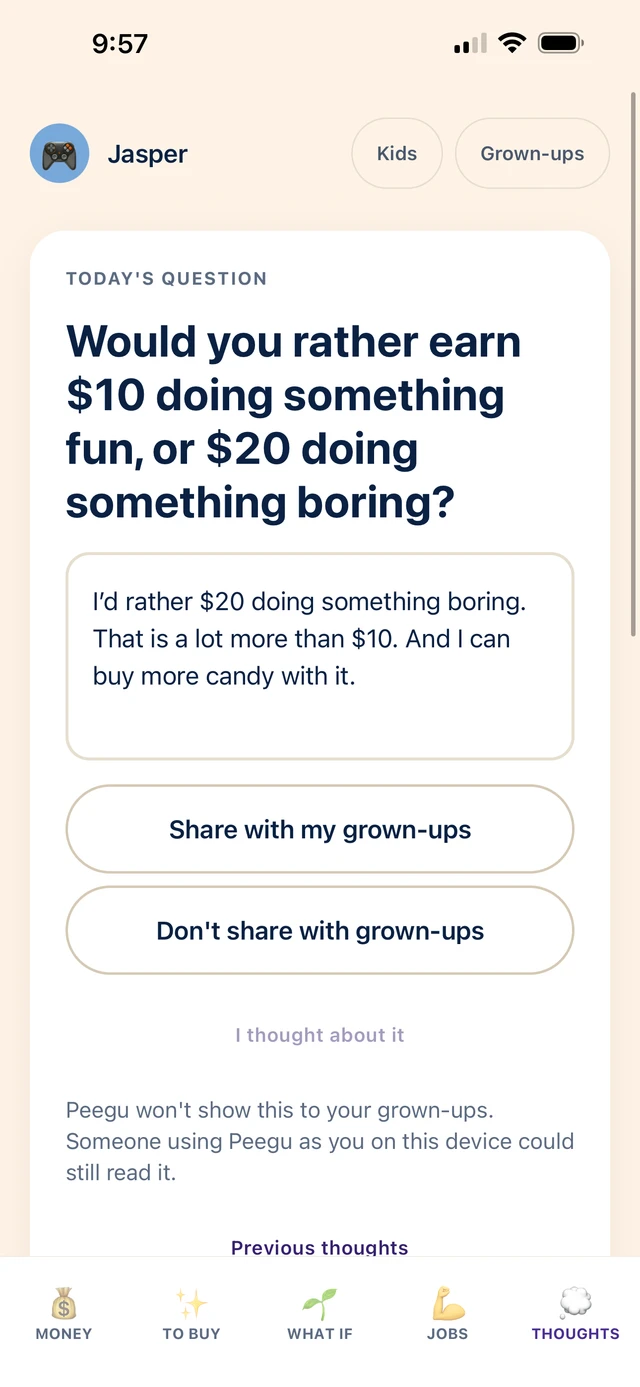
Earn $10 doing something fun, or $20 doing something boring? Jasper has his reasons.
“And I can buy more candy with it.”Jasper, on choosing the $20
Kids can write what they think and choose whether to share it with you.
We want kids to think, not just do what they’re told.
FOR PARENTS, TOO
Start with their numbers, and ask a different question.
“Not right now.”
“Can you afford it?”
“Don’t waste your money.”
“What happens if you spend it?”
“Go do your chores.”
“What could you do to earn it?”
THE REAL MONEY STAYS WITH YOU
The balance is what your family agrees belongs to your child. Keep the actual money wherever you already keep it.
When they buy something, you handle the purchase and record the spending in Peegu.
Kids don’t need an email address or a password. They tap their name. The app’s grown-up controls use your family’s shared PIN. No ads.
WHY I BUILT PEEGU
Two of my kids could spend money about as fast as they got it. Another could have plenty and still act like spending four dollars represented financial ruin.
And I was a business professor trying to fix this with explanations. That wasn’t working particularly well.
So I built them somewhere to practice instead.
Peegu isn’t designed to make kids save every dollar. It’s designed to make them notice the decision they’re making.
Jeff Schatten
Business professor and Peegu’s founder
SMALL MONEY. REAL DECISIONS.
A purchase they regret. Something they wish they’d bought. Kids need room to make a choice and see what they think of it, while the stakes are still small.
TWO FAMILY SIZES
Both plans include the same core Peegu product. Premium supports larger families.
Up to 2 adults + 2 kids
$4.99/month
or $49.99/year
Up to 6 adults + 6 kids
$9.99/month
or $99.99/year
Included in both
Prices in USD. Local App Store prices may vary. Apple shows the price and renewal terms before you subscribe.
No. Peegu is money practice for kids and a record for your family. It does not hold deposits, connect to your bank account, or issue a debit card.
Wherever your family keeps it. The balance records what you agree belongs to your child. You look after the real money and handle purchases outside Peegu. Peegu does not transfer that money or pay a shop.
The family owner sets an allowance amount and schedule: weekly, every two weeks, or monthly. They can also set an annual interest rate. Interest builds up daily and is added to the record weekly, for completed weeks. Your family supplies the allowance and pays the interest.
For kids beginning to make choices about their own money, with your help as needed. The decisions are about things they already know: allowance, things they want, and ways to earn.
No. They can use their profile on a shared family iPhone or iPad. Kids don’t need an email address or a password. They tap their name. Peegu’s current release is for iPhone and iPad, with no Android app.
Set the starting balance, allowance and family interest. Record money added or spent, and respond when your child proposes or finishes a job. Peegu adds recurring allowance and interest to the record using your family’s settings. You handle the actual money and purchases.
Keep your family code and shared PIN private. The code opens child profiles, and the PIN protects the app’s grown-up controls. Children choose whether to share Thoughts in the grown-up view; someone using their child profile can still read an unshared answer.
The Privacy Policy explains how family records are stored and used.
Basic: Up to 2 adults + 2 kids. $4.99/month or $49.99/year.
Premium: Up to 6 adults + 6 kids. $9.99/month or $99.99/year.
Both plans include the same core Peegu product. Premium supports larger families. Money, To Buy, What If, Jobs and Thoughts are included in both.
Prices in USD. Local App Store prices may vary. Apple shows the price and renewal terms before you subscribe.
One subscription covers your Peegu family, up to the capacity of your chosen plan. Choose Basic or Premium, billed monthly or yearly. Apple handles payment and renewal. You subscribe in the iPhone or iPad app.
The planned friends and family offer, SCHATTEN, includes 12 months of Premium free through Apple’s official offer-code system. Redemption details and terms will be available when the offer is live.
In Peegu’s grown-up mode, open SETTINGS → Subscription → Manage subscription. You can also open iPhone or iPad Settings, tap your name, then Subscriptions, and choose Peegu. Deleting the app or family does not cancel Apple billing.
The family owner can open SETTINGS → Account → Delete family in Peegu’s grown-up mode. This is separate from cancelling an Apple subscription. For child-profile deletion, leaving a family, and what is retained, see account deletion instructions.

The money is theirs.
Let the decisions be theirs, too.
Coming soon for iPhone and iPad
Coming soon